Job Custom Compliance
Businesses that need to track items beyond the functionality that ClearToPay™ provides out-of-the-box can implement Custom Compliance. Custom compliance rules may be tracked for informational purposes or be configured to impact a vendor's overall compliance determination.
Custom compliance rules configured and their validation criteria are configured by your ClearToPay Administrator. See Custom Compliance Settings for more information.
Note
The Custom Compliance module must be configured in ClearToPay™ Settings and enabled on the job's Settings page to be visible at the job level.
From My Paperless, click .
In the ClearToPay™ left navigation, click .
Choose the job from the list.
Click .
A page similar to the following displays:
Note
Custom compliance rules set to Automatically Apply to All Jobs in ClearToPay™ Settings display on the page.
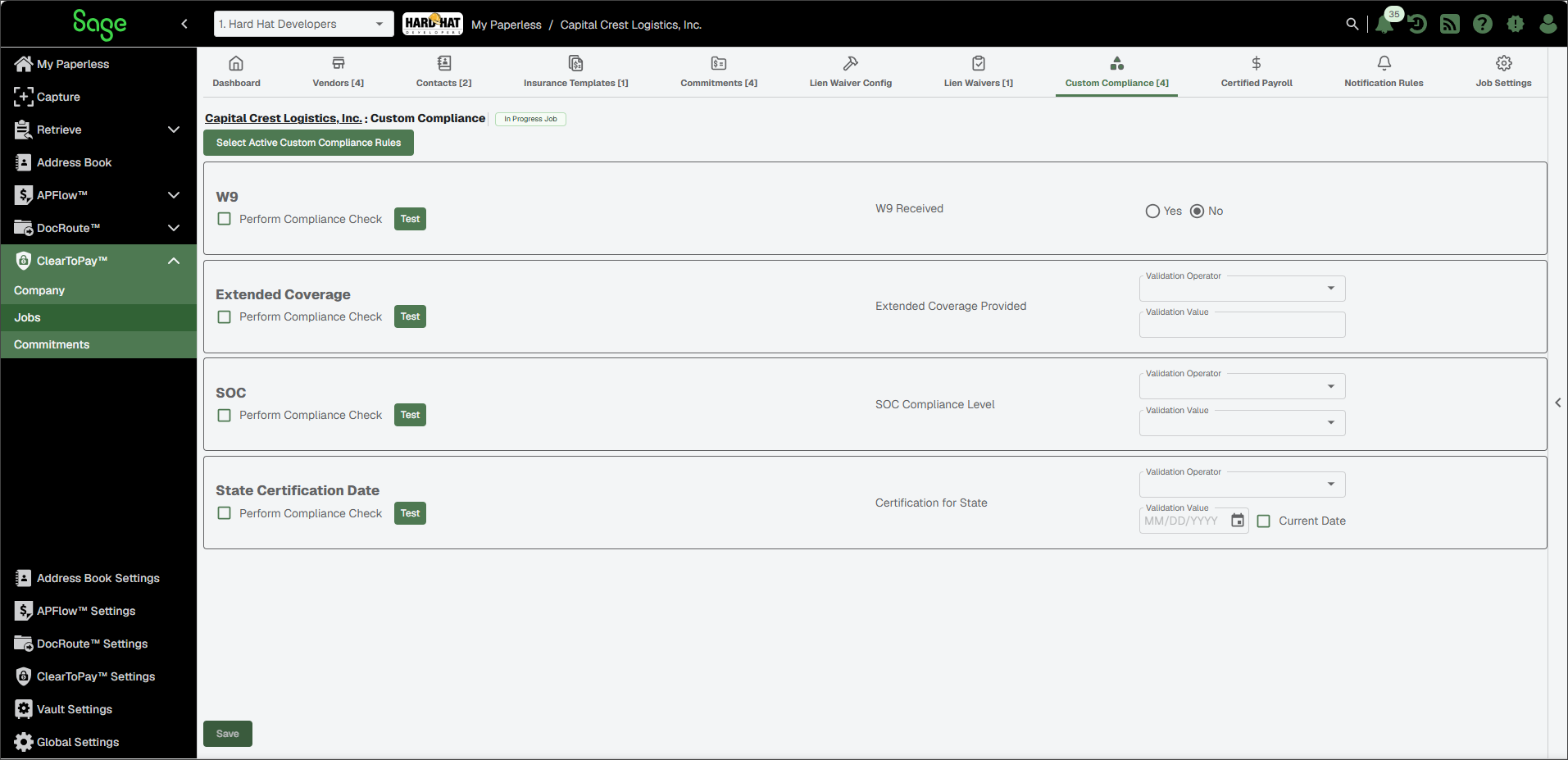
From a job's Custom Compliance page, you can do the following:
Select Active Custom Compliance Rules | Click to open a list of all available rules and assign any additional items (which may not have been assigned by default) to the job. You can also use this option to remove rules from this job by deselecting the check box. NoteAs custom compliance rules are added to the job, they are automatically added to vendors on the job as well. |
Rule Name/Description | The rule's name and description are configured in ClearToPay™ Company Settings. |
Perform Compliance Check | Select the check box if this rule should be compliance checked for the current job and its vendors. If not, leave blank. |
Test | Click to launch a testing utility to determine if the custom compliance rule is set up correctly. The type of test varies based on the validation type selected when the rule was configured. If the test passes based on the test value entered, then the result is compliant.  |
Validation | The rule configuration is dependent on the Validation Type field that was set up when the custom compliance rule was created. You might see the following options for the job:
|