Add Proxy Users for DocRoute™
If a user is unable to access Sage Paperless Construction for a period of time, another individual can act as a proxy (or backup) to perform activities on their behalf such as routing, releasing and approving invoices. This can be useful if a user with an assistant needs access to invoices or if an individual goes on vacation and needs invoices approved during that time.
Note
The Filter dropdown allows you to narrow or widen the proxy user search by All, Active Only, or Inactive Only. The default view is Active Only.
Note
DocRoute™ users listed here are entered on the General tab. See DocRoute™ Settings for more information.
Complete the following steps to configure users that can access and work in each other's inboxes:
From My Paperless, click .
In the DocRoute™ Settings navigation bar, click .
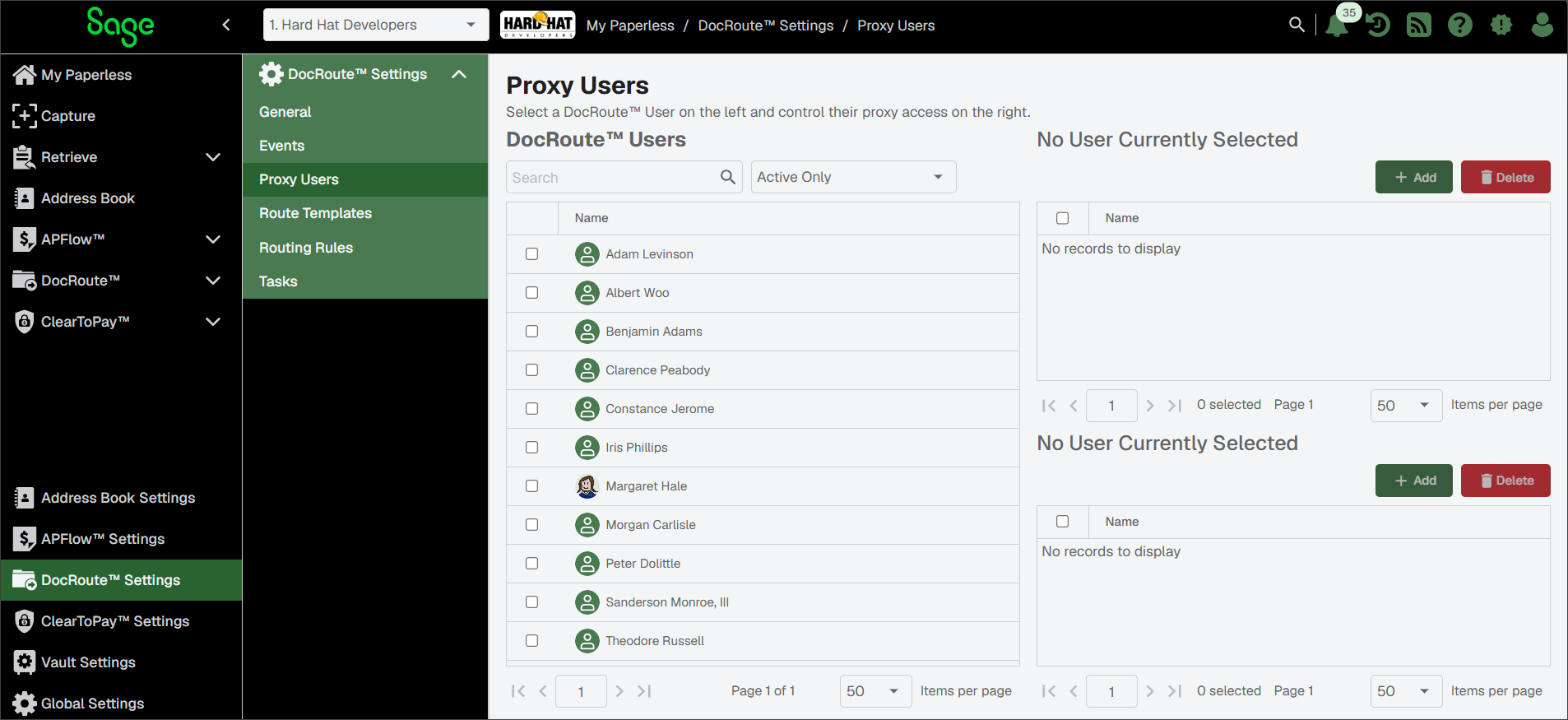
Highlight the user's name in the DocRoute™ Users pane.
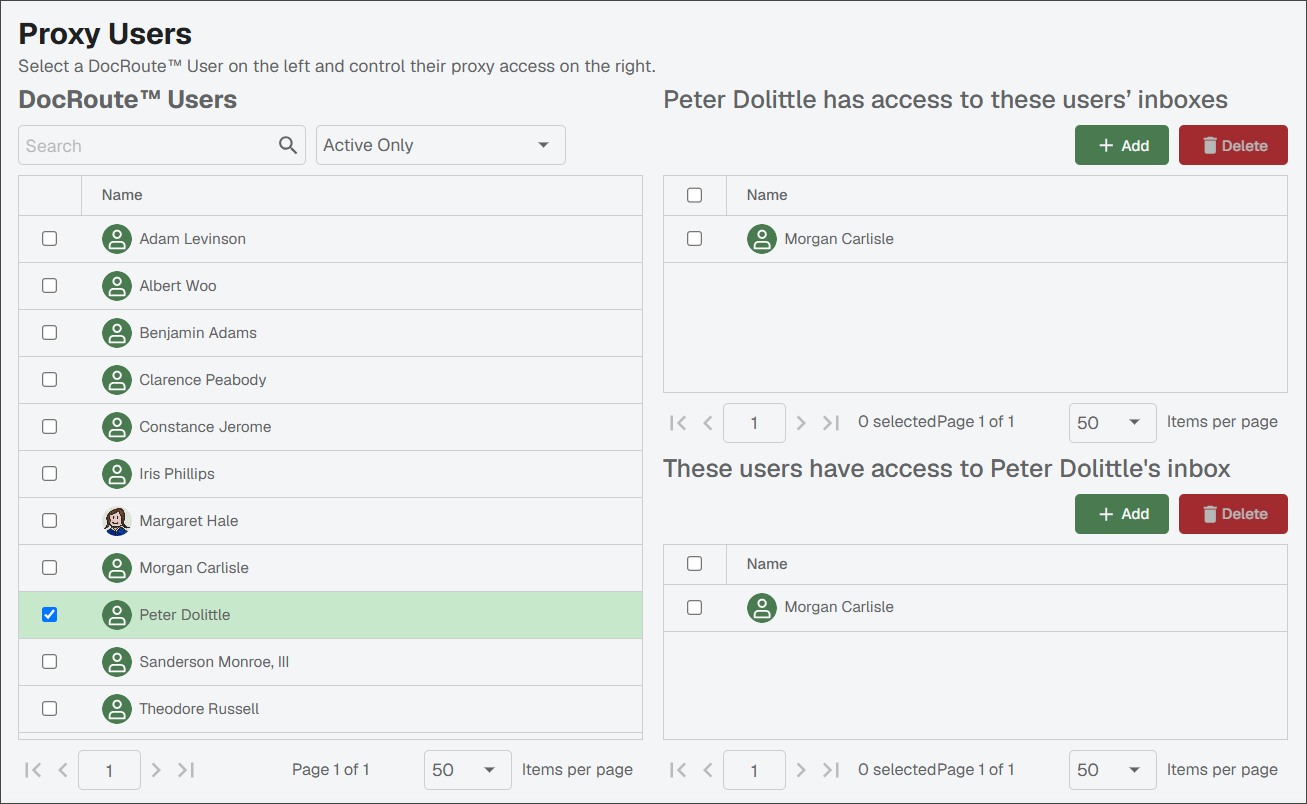
Do one or both of the following:
To give the selected user access to another individual's inbox: In the upper right pane, click Add. In the Manage Proxy dialog that opens, select one or more users and click .
The upper pane populates with the selected user(s).
To give another individual access to the selected user's inbox: In the lower right pane, click . In the Manage Proxy dialog that opens, select one or more users and click .
The lower pane populates with the selected user(s).