User Roles
You can set up company-defined roles (such as President, HR Manager, Safety Manager, etc.) and assign users to these roles. This way, when a person changes roles in the company or a person leaves the company and is replaced by a new user, system administrators only need to change the user assignment for that role in Vault Settings instead of editing each routing rule to which the previous person was assigned.
Use these roles when configuring routing rules in the DocRoute™ module.
Note
You must have System Administrator permissions to configure these settings within Vault Settings.
From My Paperless, click .
In the Vault Settings navigation bar, click .
The following page displays:
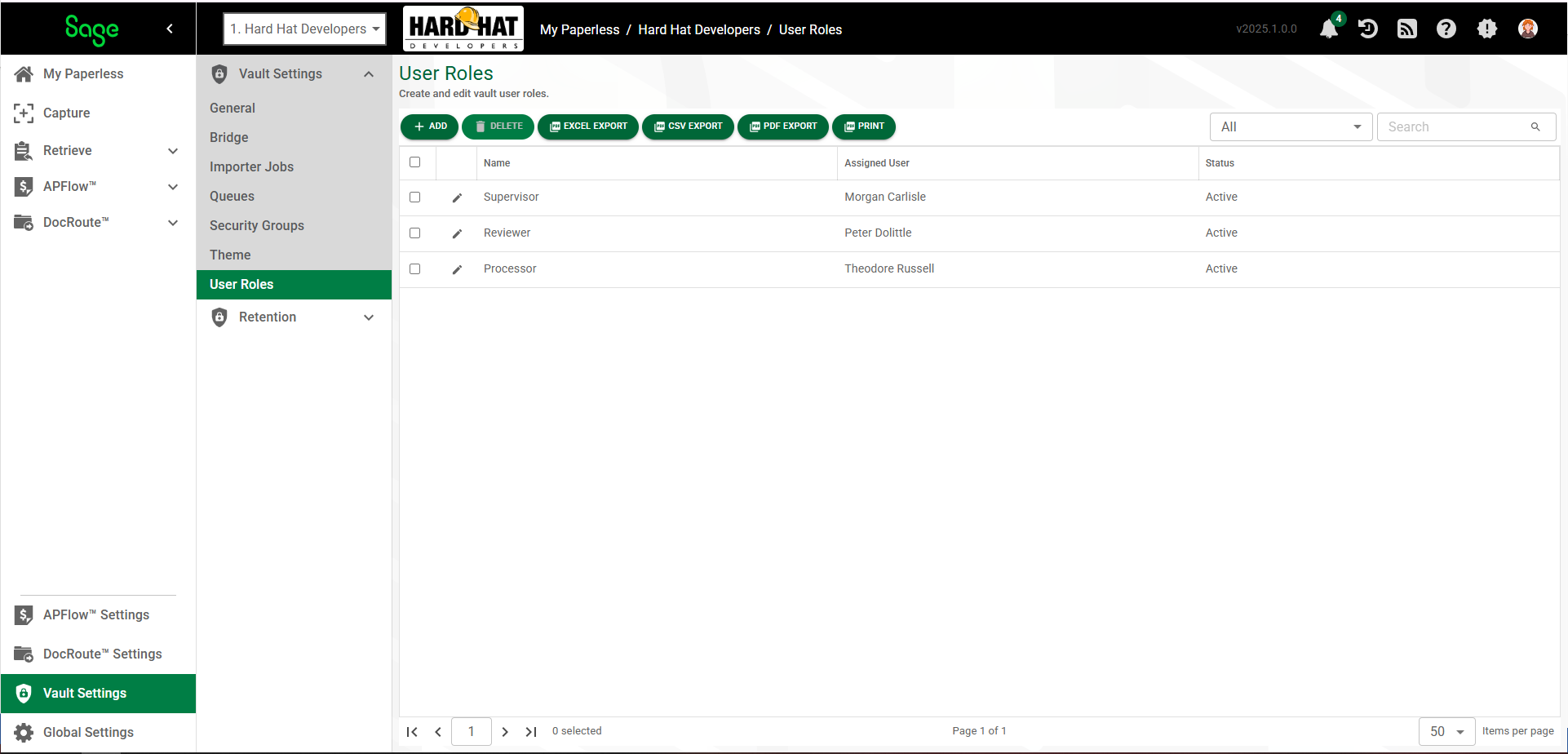
Click .
The User Role Properties dialog displays with the GENERAL tab selected.
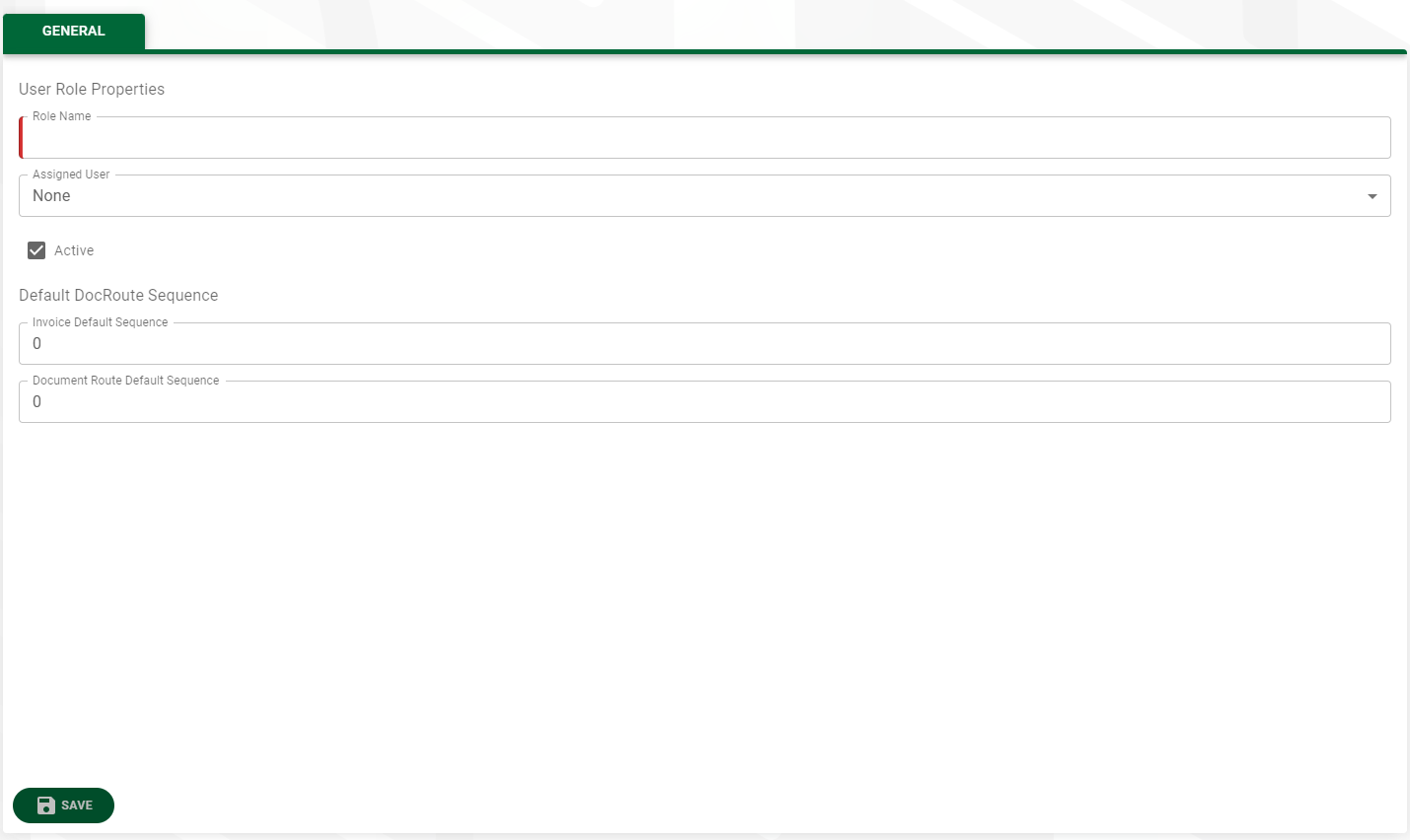
In the Role Name field, type the name for the role (Project Manager, Insurance Coordinator, Processor, Reviewer, etc.).
In the Assigned User dropdown, select an individual who is assigned to the role you entered in the Role Name field.
The Active check box is selected by default. Deselect the check box if this role should not be active.
In the Default DocRoute Sequence pane:
Assign the order in which this user role has invoices routed to them for review and approval in the Invoice Default Sequence field.
Note
The sequence order starts with the lowest number (0 or 1) for the first individual in the route, and the highest number for the last individual in the route. There is no requirement for the sequence to be in strict numerical order (1, 2, 3, 4). The sequence moves through the numerical order provided. For example, 2, 4, 6, 9
Note
The sequence number entered here systematically populates the Document Route Default Sequence field in the Additional Permissions pane in DocRoute.
Assign the order in which this user role has documents routed to them for review and approval in the Document Route Default Sequence field.
Note
If Invoice and/or DocRoute routing sequences are set up by user role and an individual leaves, the next person assigned to that user role systematically inherits that role's routing sequences. The next person in that role, however, does not inherit the previous user's routed documents/invoices.