Address Book Settings
Before using the Address Book module for the first time, you need to create or set up user roles for individuals who are going to use the Address Book, enter or update contacts, create or edit companies, and more.
To see the Address Book Settings option:
You must have a licensed Address Book module.
You must be a System Administrator or Vault Administrator for the current vault.
If you meet the requirements listed above, complete the following steps to access and grant user permissions:
From My Paperless, click .
Address Book Settings opens on the General tab.
Note
You can use the Search and Filter fields to narrow down your results. Displaying Active Only is the default.
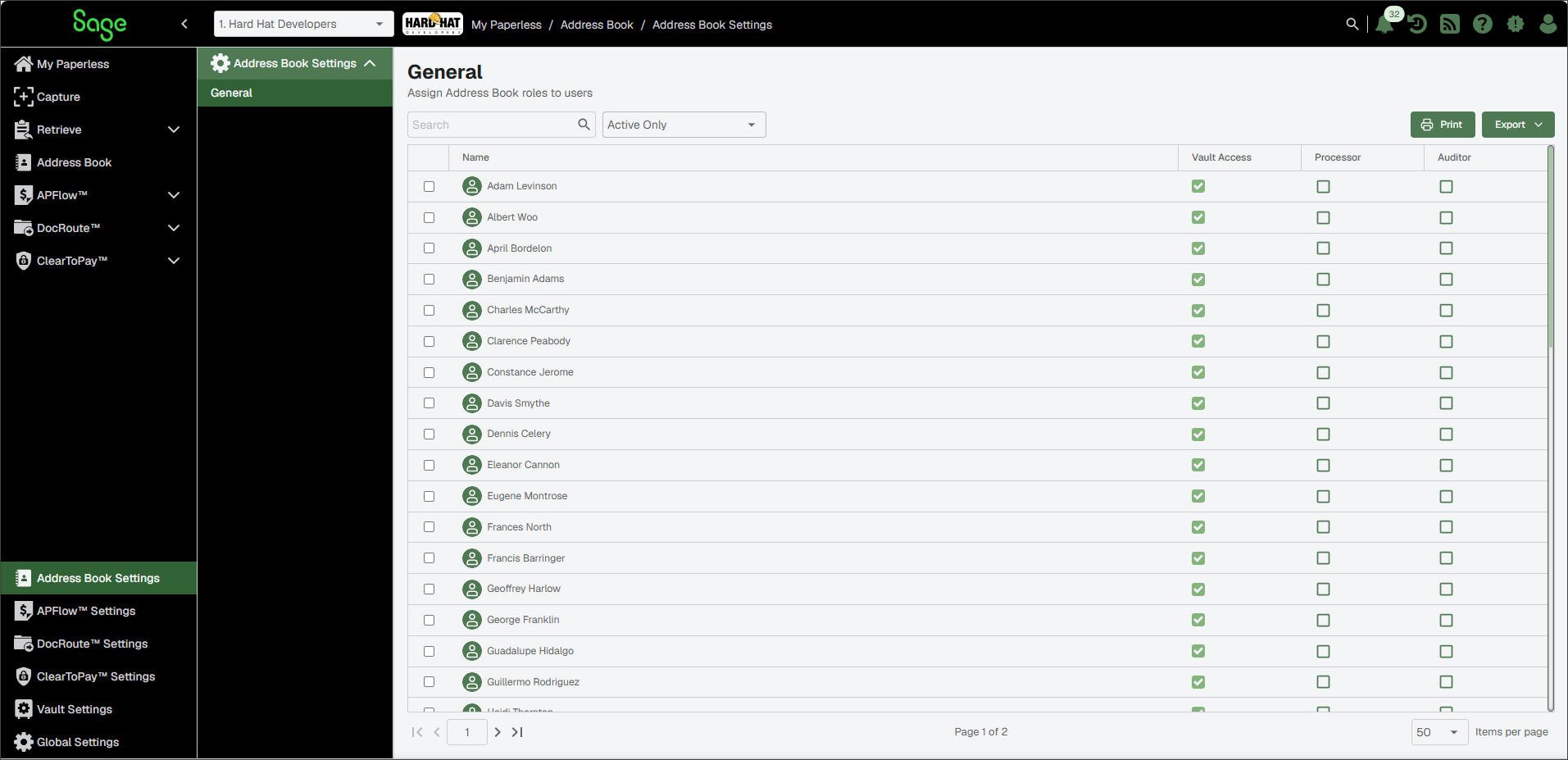
Review the users and assign the appropriate permissions (either Processor or Auditor) for that individual.
Note
Checkmarks in the Vault Access column indicate individuals with access to the current vault.
Processor permissions enable users to add, edit or delete companies and contacts in the Address Book.
Auditor permissions enable users to view entries, but not make changes.