Portal Dashboard Navigation
When you log in to the portal, the following My Paperless dashboard page displays:
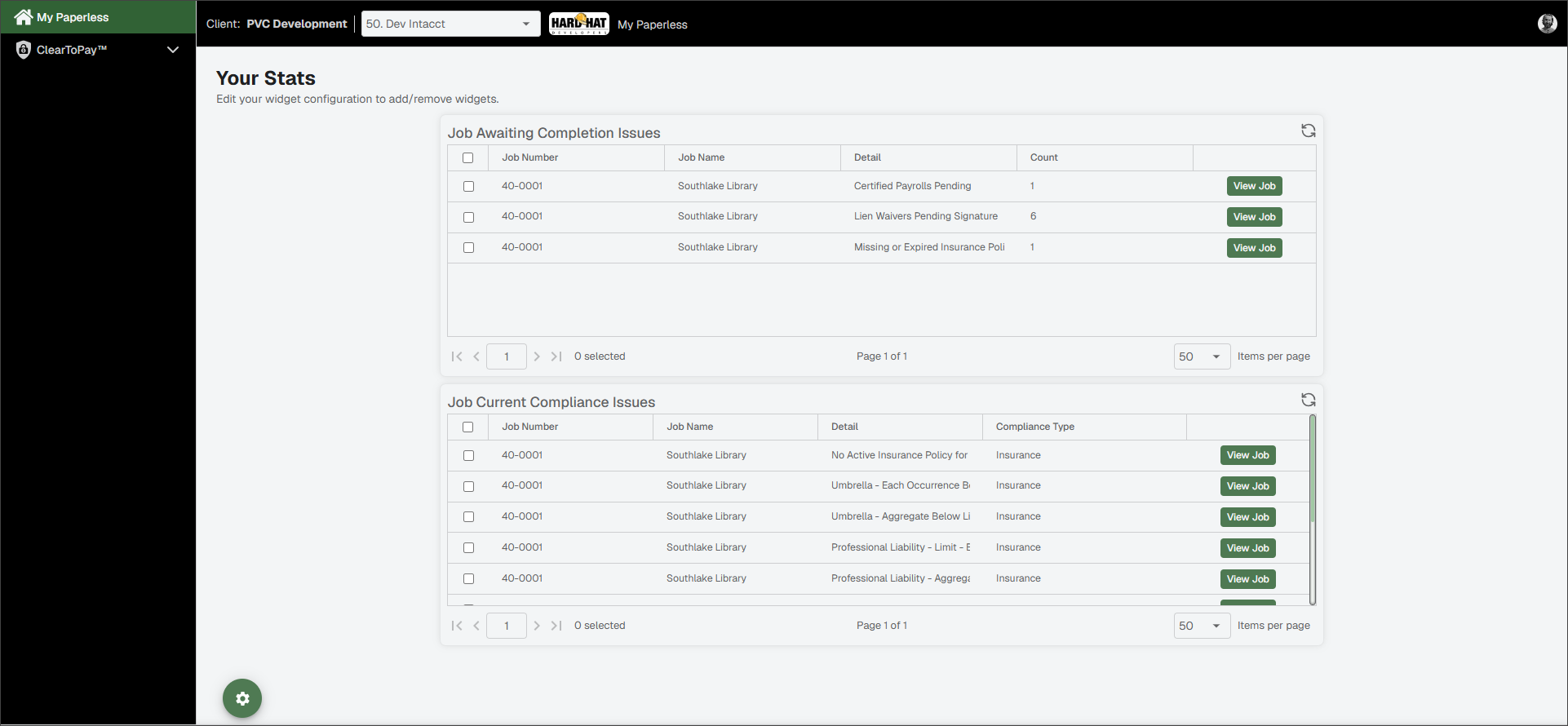
| Client Identifier | This is your current client, or company. If you have projects associated with more than one company, you can select different companies from a dropdown list. | |
| Vault Identifier | This is your vault. If you have more than one vault, click the dropdown arrow to select from the list. | |
| Vault Image | If you have set up a vault logo image, that image should display to the right of the vault label. Vault logos are optional. | |
| Breadcrumbs | As you navigate through Sage Paperless Construction, the trail of breadcrumbs grows to let you know where you are, and what pages you accessed to get there. NoteYou can navigate back to previous pages by clicking within the breadcrumb trail. | |
| My Account | Use the My Account icon to access your profile and customize your User Settings. See Access and Update User Settings for more information. If you have uploaded a profile image, that image displays instead of the My Account icon. |