ClearToPay™ Overview
ClearToPay brings workflow automation to your compliance tracking processes using green and red symbols to help you quickly identify which jobs and vendors are in compliance and which are not.
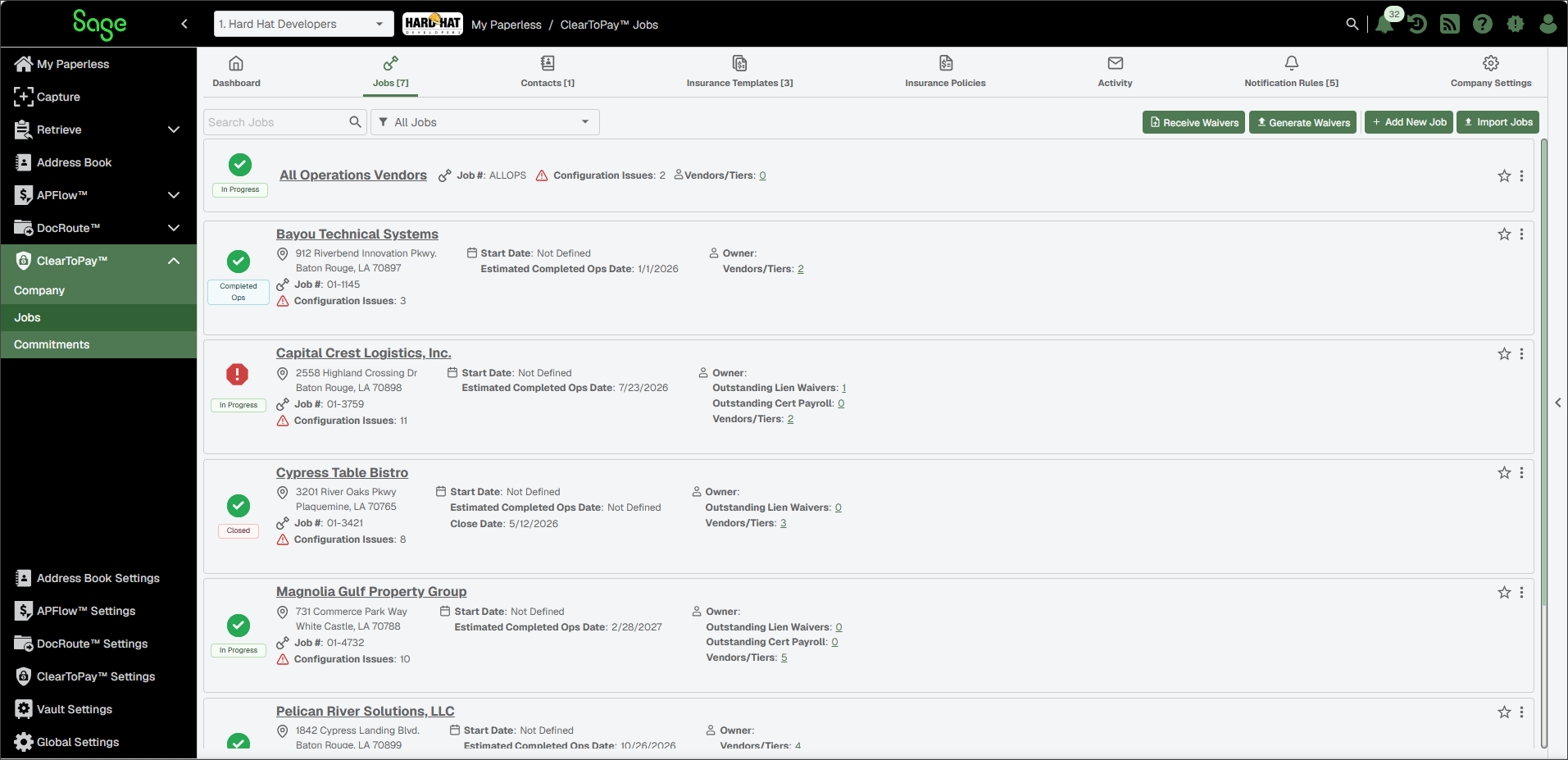
A green indicator means a job and all associated vendors have met their compliance requirements. Each vendor and tier also display a green indicator.
A red indicator for a job or vendor represents an existing compliance issue. If a vendor's subcontractor is out of compliance, the job and vendor are also considered to be out of compliance.
ClearToPay enables you to:
Track:
Insurance Certificates
Lien Waivers
Subcontracts
Certified Payroll
Contractors Licenses
Unlimited Subcontractors
Unlimited Tiers
Store:
Unlimited Documents
Emails
Notifications
Send and retrieve:
Automatic email notifications to all non-compliant vendors
Compliance reports
Build custom:
Insurance Templates
Email Templates
Lien Waiver Templates
User-defined Custom Compliance Rules
User-defined Insurance Endorsements
User-defined Contractors License Types
Import and update:
Commitments from accounting system
Contacts from accounting system
Vendors from accounting system
Customers from the Address book
This multifaceted module keeps time-sensitive information at your fingertips.
As a business owner with even a single project, you could be dealing with dozens of vendors and their tier vendors (subcontractors). Making sure all these entities meet their compliance requirements is highly important. ClearToPay provides all of the functionality described in the table below, although each feature can be enabled or disabled at the company, job or vendor level depending on your needs.
Jobs and vendors are managed using a hierarchy system. You can choose to add a primary vendor directly to the job, or you can add a vendor beneath another vendor, and so on. For each feature, compliance information is tracked by ClearToPay, and is reflected upward, meaning all tiers of vendors within a job must meet the established compliance requirements for the job to be considered compliant.
Important
Compliance is monitored in real time. As data is entered or modified, vendor compliance is retested, and statuses are updated at the job and vendor levels (using green and red indicators) as required. Reports, dashboards and notifications are also available to communicate the compliance status to the parties who need to know but may not have access to the ClearToPay module. Compliance status can also come into play during the Accounts Payable workflow by preventing invoice approval or payments for those who are not compliant.
ClearToPay Feature | Description of Functionality |
|---|---|
Insurance Tracking | ClearToPay monitoring ensures that all insurance policies are in effect and that endorsements are present. A single ClearToPay page provides the whole insurance coverage story for each vendor. Should an insurance policy be close to expiring, ClearToPay can systematically send emails to vendors so they can submit new policies and stay in compliance. Not only can emails be sent to vendors, but copies of those emails can also be sent to Project Managers and Job Superintendents so all involved parties are kept in the loop. This ensures that the necessary certificates and required documents are obtained in advance, including keeping non-compliant subcontractors off job sites until compliance requirements are met. Additionally, you can track insurance for all-operations vendors. This means that if you have a vendor who works for your company on many of your jobs, a single certificate of insurance with the proper coverages can be tracked for compliance across all jobs, without them having to provide multiple insurance certificates. |
Commitments | Commitments are a fundamental aspect of compliance tracking, specifically in reference to subcontract and purchase order agreements. These types of agreements are often tracked within a company's accounting system, but with ClearToPay, commitment information can be brought into Sage Paperless Construction via the bridge to ensure that contractors and vendors meet their contractual obligations. |
Lien Waivers | A lien waiver is a legal document signed by a contractor, subcontractor, supplier, or other party to the construction project stating that they have been paid (or should be paid) and thereby waive their right to file a lien (most common being Mechanic’s lien) for the specified amount of work or materials. You can create and manage lien waivers in ClearToPay to ensure your company's projects are not only protected from liens but are also moving forward as smoothly as possible. ClearToPay also provides the ability to use pre-defined emails to distribute new lien waivers, automatically generate waivers at set intervals and request missing requirements (such as signatures). |
Contractor Licenses | *Functionality to be included in a future release. |
Certified Payroll | Certified payroll reporting is a weekly requirement for contractors and subcontractors working on federally funded projects. The report verifies that employees are paid the legally required wages and benefits. ClearToPay provides the ability to track receipt of the required reports and store the report documents in the document repository. Certified payroll documents usually contain highly confidential information. ClearToPay safely and securely stores these documents using the Sage Paperless Construction document repository. ClearToPay also provides the ability to set notification rules for overdue payroll records, automatically generate records at set intervals and use pre-defined emails to request updated records. |
Custom Compliance | Your company may require certain compliance documentation that does not fit within standard compliance categories, such as I-9 documentation, W-9 documentation, ISO or NIST compliance certification. ClearToPay provides the ability to create additional tracking items that can be used to determine if a vendor (including tier and all ops vendors) is compliant. |
Notification Rules | Through the reporting and scheduled job automation features in ClearToPay, designated email groups can receive email communications that provide information about their compliance status, expired insurance or licensing, missing lien releases and/or certified payrolls, etc. These email notifications provide adequate warning, communicate needs and support prompt action. |
Reporting and Integrations | Reports and dashboards provided by ClearToPay provide useful compliance data and tracking details. Reports are available for each of the tracking modules—Insurance, Lien Waivers, Certified Payroll, Contractor Licenses, and Custom Compliance. Reports can also be added to email templates, ensuring that the latest reports are distributed to the appropriate email group recipients automatically when the email is sent. |
External Portal Access | The ClearToPay™ Portal provides your vendors with a way to be self-sufficient, responding to requests for project documents quickly. With the appropriate permissions, they can immediately upload signed lien waivers, updated insurance documents, certified payroll files and other required documents. If portal access is enabled at the job level and granted at the vendor level to a particular contact, vendor contacts can set up their portal user account and log in to a designated area of Sage Paperless Construction where they can review, sign or upload documents. |
Address Book and Contacts | ClearToPay integrates with the Address Book, which serves as a central database for managing company and contact information across the system. It can also highlight areas where companies and contacts may be missing key information. |
Security is necessary to ensure that only qualified users are adding and updating compliance data in ClearToPay. ClearToPayallows role assignments with granular permissions, allowing customers to customize how their users break down responsibilities, from administration to day-to-day processing. For more information, see ClearToPay™ Settings.
The following user permissions exist within ClearToPay:
Note
If the user does not belong to a security group in the current vault, they cannot access the vault or any of its ClearToPay modules and functionality.
ClearToPay Administrator: Users with these permissions have rights to set up users and global lookup tables within ClearToPay™ Settings. This user cannot view company, job or vendor pages, or complete processing work, unless also assigned compliance manager or job level access permissions.
Note
These permissions are assigned within by a system administrator.
Compliance Manager: Users with these permissions have full access to all company, job and vendor settings within ClearToPay. This user can establish what functionality is available at all levels, including insurance, lien waivers, commitments, certified payroll and more. They also have full rights create and edit jobs, contacts and vendors, to send out communications, run reports, etc.
Job Level Access: Users with these permissions have access to selected aspects (commitments, insurance, lien waivers, custom compliance, certified payroll or they can be an auditor) on a job-by-job basis. Users with job level access can only edit job and vendor information for the jobs (and areas) they are assigned. The auditor option is read-only access.
Auditor: Users with these permissions have read-only access to all pages within a company. The user is able to view dashboards, preview and print lien waiver forms, and run reports, but they cannot change any data.
Permissions and Access | ClearToPay Administrator | Compliance Manager | Job Level Access (Non-Auditor) | Auditor |
|---|---|---|---|---|
Configure ClearToPay users |
| |||
Configure company settings
| N/A |
| N/A | N/A |
View company, job and vendor pages | N/A |
| Only assigned jobs and their vendors |
|
Create and edit jobs, vendors and tier vendors | N/A |
| Only assigned jobs and their vendors | N/A |
Create and assign insurance templates | N/A |
| Only assigned jobs | N/A |
Add and match commitments | N/A |
| Only assigned jobs and their vendors | N/A |
Generate lien waivers for jobs and vendors | N/A |
| Only assigned jobs and their vendors | Preview and print waiver forms |
Manage subcontractor pay applications | N/A |
| Only assigned jobs | N/A |
Receive ClearToPay notifications |
|
|
|
|
Run ClearToPay reports |
|
|
|
|
Create and edit Address Book companies and contacts via ClearToPay | N/A |
|
| N/A |
Configure Address Book settings | System or vault administrator only | |||
Access portal | Vendor/subcontractor access only | |||
