Authentication Settings
Multifactor authentication (or MFA) allows you to add an extra layer of security as users access Sage Paperless Construction. Complete the following steps to view and manage your company's MFA license codes within Authentication Settings:
Important
You must have System Administrator permissions and have purchased the required MFA licenses prior to configuring these settings within Global Settings.
From My Paperless, click .
In the Global Settings navigation bar, click .
A page similar to the following displays:
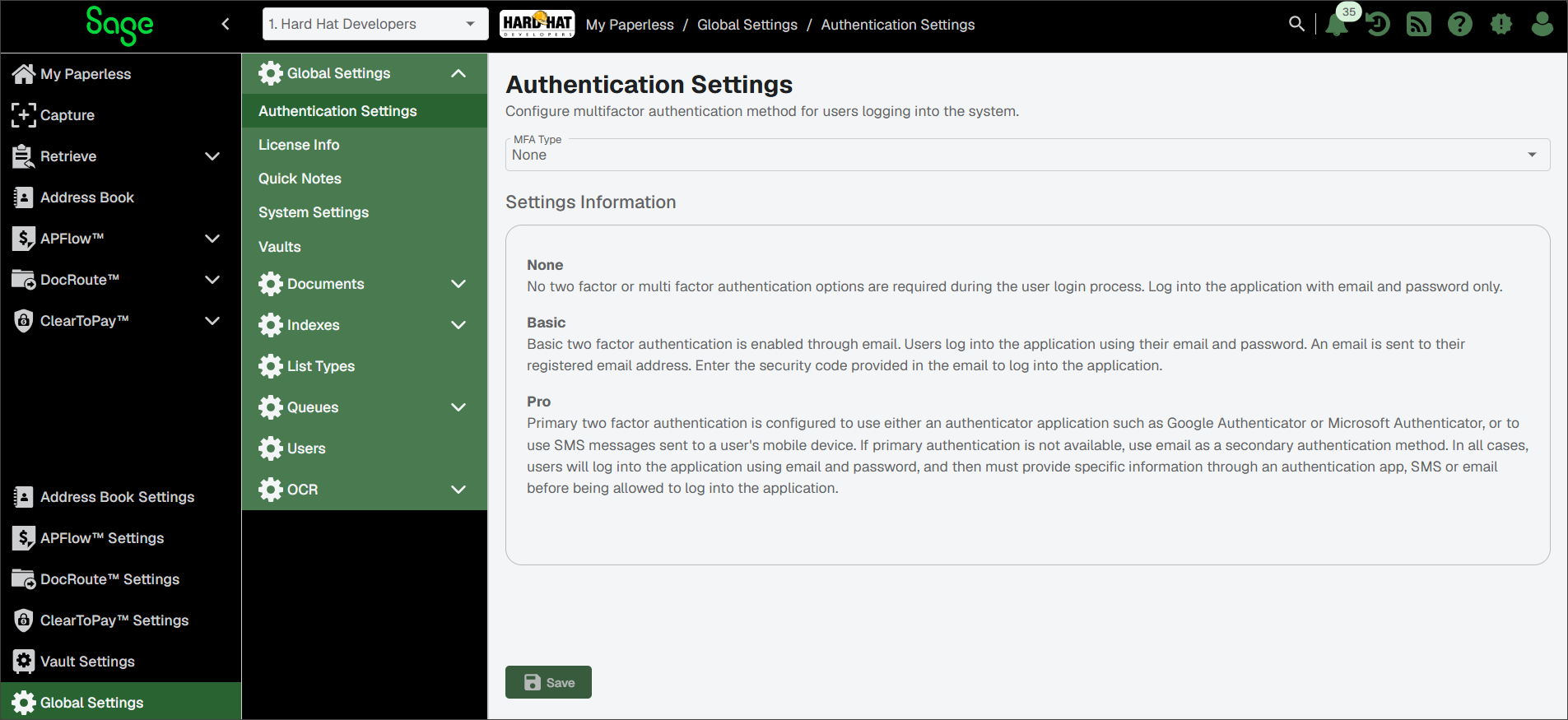
Use the MFA Type dropdown to select an authentication path.
Note
You can choose from , or . For more information on each option, see Multifactor Authentication (MFA).
Click .
Unless you have selected None, your saved authentication type is implemented and anyone in your company who logs in to Sage Paperless Construction must respond to a series of authentication prompts to securely complete the login process.