Vendor Custom Compliance
Businesses that need to track items beyond the functionality that ClearToPay™ provides out-of-the-box can implement Custom Compliance. Custom compliance rules may be tracked for informational purposes or be configured to impact a vendor's overall compliance determination.
Note
The Custom Compliance module must be configured in ClearToPay™ Settings, be enabled on the job's Settings page and be enabled on the vendor's Settings page to be visible at the vendor level.
Important
You must be configured as a Compliance Manager, an Auditor or have Job Level access for the current vault to be able to view this page.
From My Paperless, click .
In the ClearToPay™ navigation bar, click .
From the Jobs page, do one of the following:
Select a job from the list to access its vendors.
Click on (if enabled) to access those vendors.
Click .
Select the vendor whose custom compliance rules you want to see.
Click .
A page similar to the following displays:
Note
Custom compliance rules set to Apply to Job Vendors or Apply to All Operations Vendors in ClearToPay™ Settings display on the page.
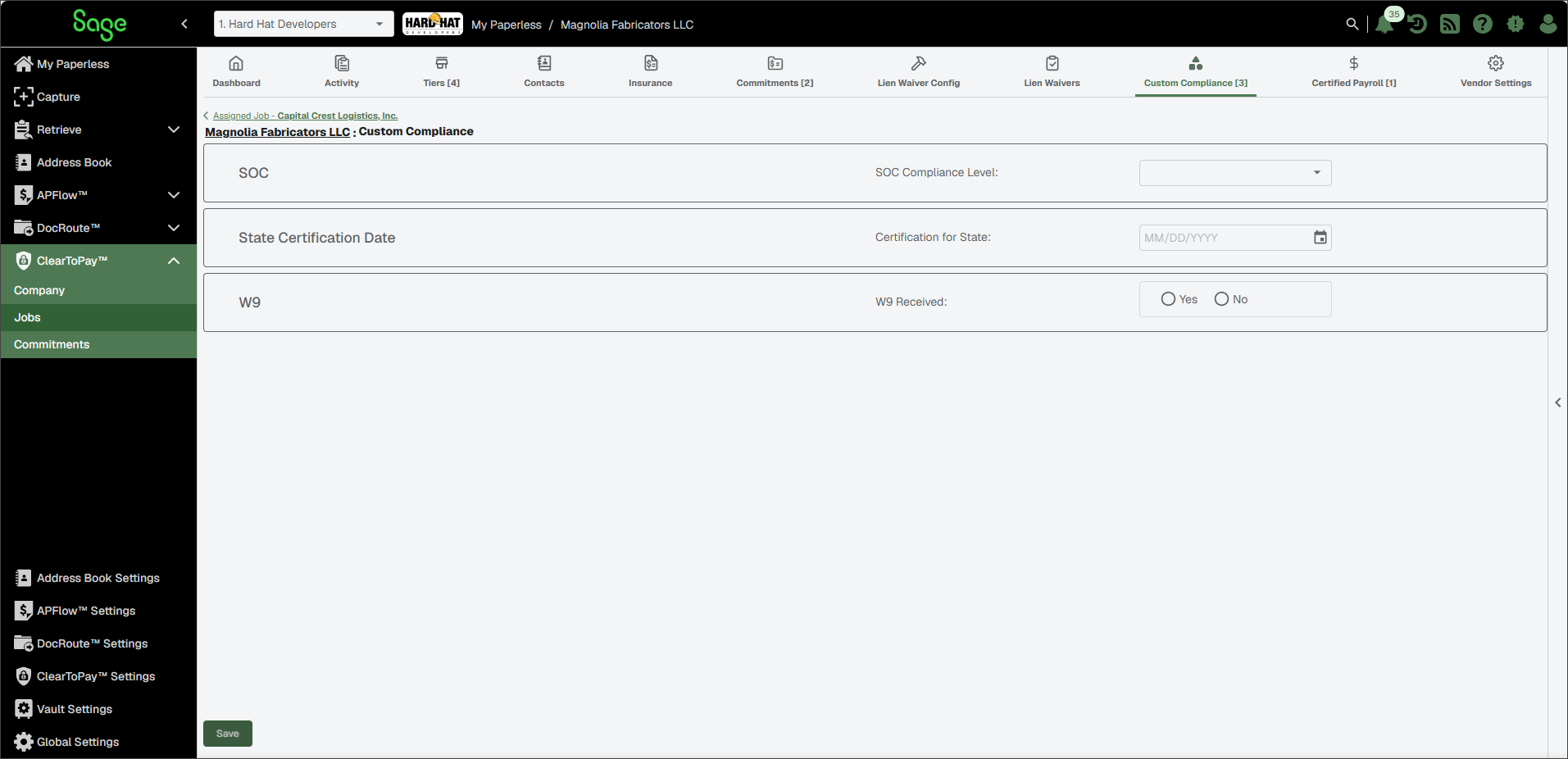
The vendor's Custom Compliance page contains the list of rules set for tracking at the job level, as well as an indicator for whether or not responses meet the compliance validation requirements. Proceed through each item, entering the value, date or dollar amount that applies to this vendor.
Click .
The rule indicators update to show if compliance requirements have been met. For waived items, an activity entry with timestamp display.
Note
If Performance Compliance Check is selected for a rule at the job level, a Waive check box display at the vendor level. This allows you to bypass this custom compliance rule if appropriate.
