Set Processor Permissions
Processors may access Credit Card Importer, approve and export invoices, but only after the necessary permissions are set up.
Important
Supervisors may access Credit Card Importer as well as approve and export invoices without permissions being granted. In addition, they can manage templates and card defaults, and can view all imports (even those specifically restricted by the user).
From My Paperless, click .
A page similar to the following displays with the General tab active:
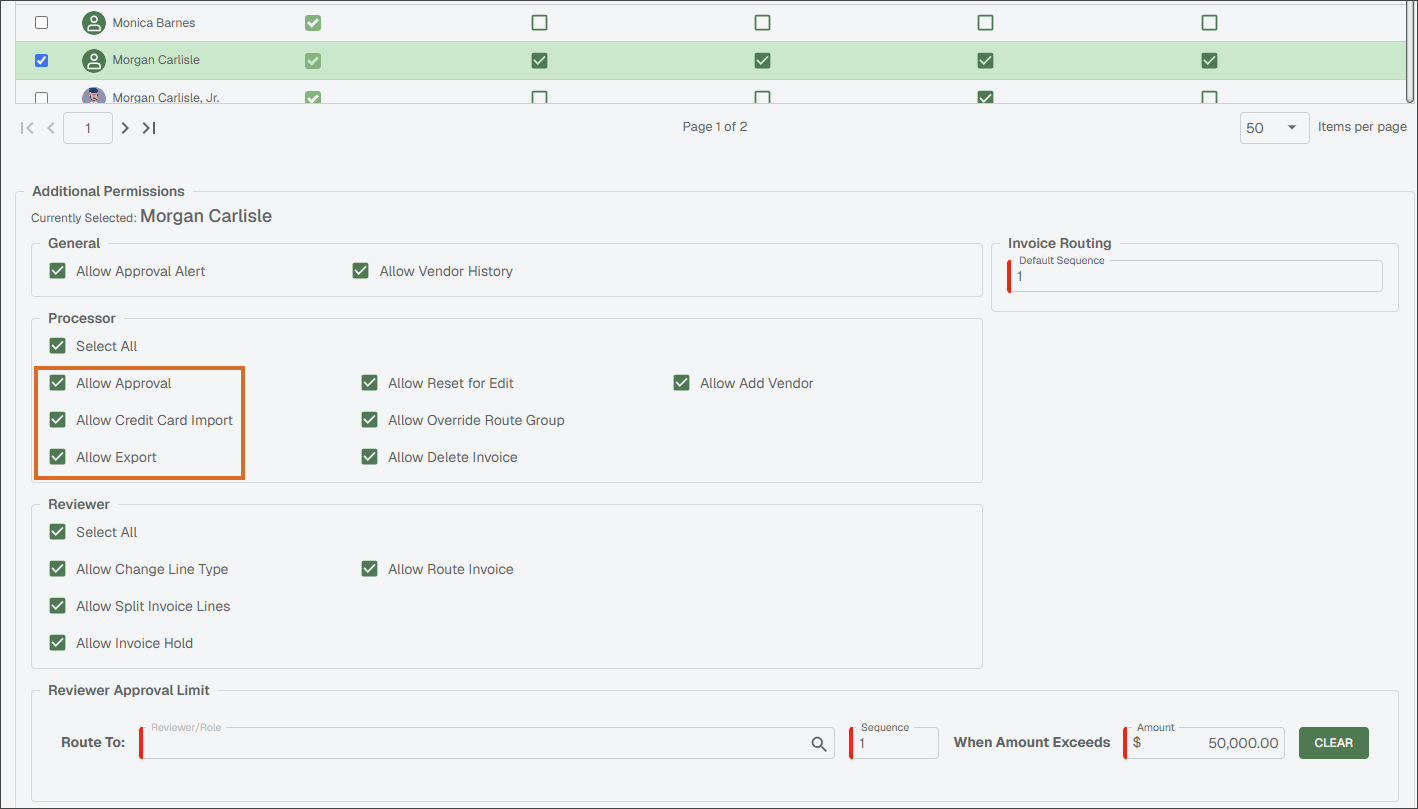
Select the Processor user's name from the list.
In the Additional Options pane, under the Processor Role heading, configure the following:
Allow Approval: This must be selected if the identified Processor needs to import invoices into an Approved status. Otherwise, the only status available is Incomplete (and Exported, if Allow Export is selected).
Allow Credit Card Import: This must be selected for Credit Card Importer to be active.
Allow Export: This must be selected if the identified Processor needs to import invoices into an Exported status. Otherwise, the only status available is Incomplete (and Approved, if Allow Approval is selected).